How To Use White Balance In Photography!
Category: Photography
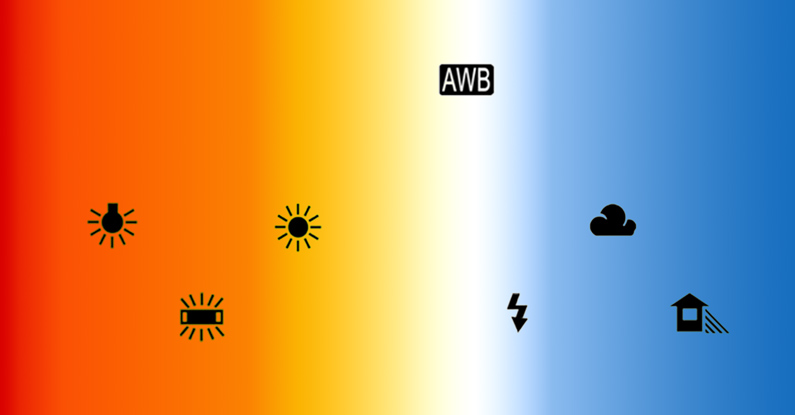
When we take a picture, sometimes the colour tint might be yellowish, bluish, or anywhere in between. Very often, we don’t notice it until we realize the picture is ruined by the image’s tint.
The purpose of white balance is to correct the discolouration in a picture due to having colours in the scene that can influence the intensity of lower or higher” temperature “.
A scene has a colour temperature. For instance, blue light has a high colour temperature, while red light has a low one. This is different from treating blue as a cold colour and red as a warm one.
The intensity of the light is measured on the Kelvin scale, which you may have seen on your camera.
THE SOURCE OF LIGHT COLOUR TEMPERATURE
Tungsten/Incandescent Light 2,500-3,000 K ( Kelvin )
Mid Clear day ( outside ) 5,000-6500 K
Overcast or Shade day ( outside ) 9,000-10,000 K
These values are approximate. We can see that a tungsten light ( regular light bulb ) has a pretty cool colour temperature, and then if you take a picture, it may appear yellowish ( if you are using a regular light bulb with a yellowish/orange tint)
When we take a picture, the camera looks for white in the scene to use as a reference point. The balance function tries to balance out other colours and adjusts accordingly to the white-neutral balance with them.
The automatic white balance (AWB) in your camera can do a good job, especially if you don’t know how to do it. It is very helpful to start with.
You can also try the settings in your camera, such as AWB, daylight, shade, cloudy, fluorescent, and play with it, you can be amazed by the results.
In addition, depending on the camera that you are using, it may differ a bit. Some cameras allow you to set the settings manually if you wish, and you should also consult the instruction manual.
I know that Nikon cameras are more yellowish than Canon, which are more bluish, so that can make a difference in the photos.
You may want to customize your white balance with a grey card, watch a great video below on the topic, very useful.
By Keith Jones
Time to get hands-on with examples.
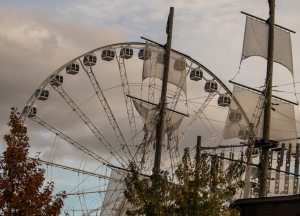
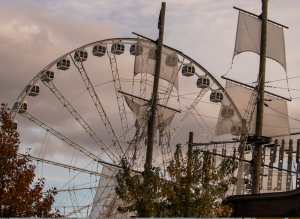
Automatic white balance
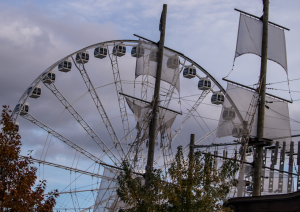
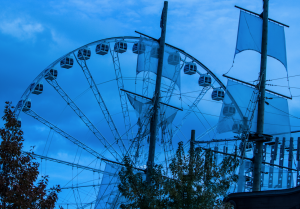
Good for a midnight effect!
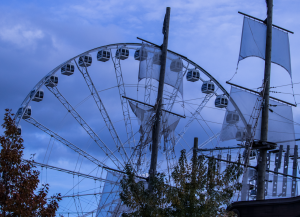
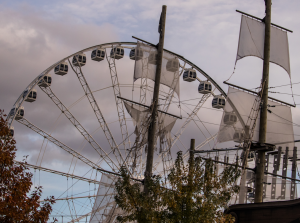
Bluish effect as well!
In the end, it is up to us what you want in your pictures. All the settings are good; however, I love to set my own and add specific, creative effects.
This is the same in your business: you choose how you want to do it. Even if you share & advertise on social media, you are the one who chooses your pictures, etc. Be yourself, and you will attract your tribe.
I hope you enjoy it. Please share if you like it! If you have any questions, don’t hesitate to contact me.
Enjoy your creative photography and business day!
Gaétane
www.gaetaneferland.com

Facebook Comments